i
Jim asked you to come here.
Click the blue button and follow the five simple steps.
Click the blue button and follow the five simple steps.
DOWNLOAD
REMOTE SUPPORT
CLICK HERE
SAFE AND SECURE
This installs RustDesk using
Jim's private support server.
5 EASY STEPS
1
CLICK DOWNLOAD
Click the blue button to download
the Remote Support ZIP file.
2
EXTRACT THE ZIP FILE
Open your Downloads folder,
right-click the ZIP file and
choose Extract All.
3
OPEN THE NEW FOLDER
Open the extracted RustDesk folder.
4
RIGHT-CLICK START HERE
Right-click
START HERE - Right Click Run as Administrator
and choose
Run as administrator
.
Click YES if Windows asks.
5
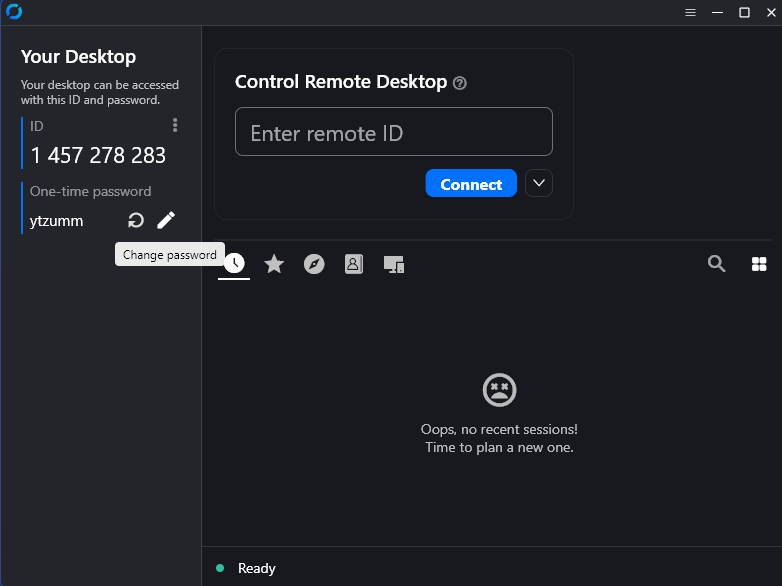
TELL JIM YOUR ID
Wait for RustDesk to open,
then read Jim the ID number
shown on the screen.
YOUR RUSTDESK SCREEN